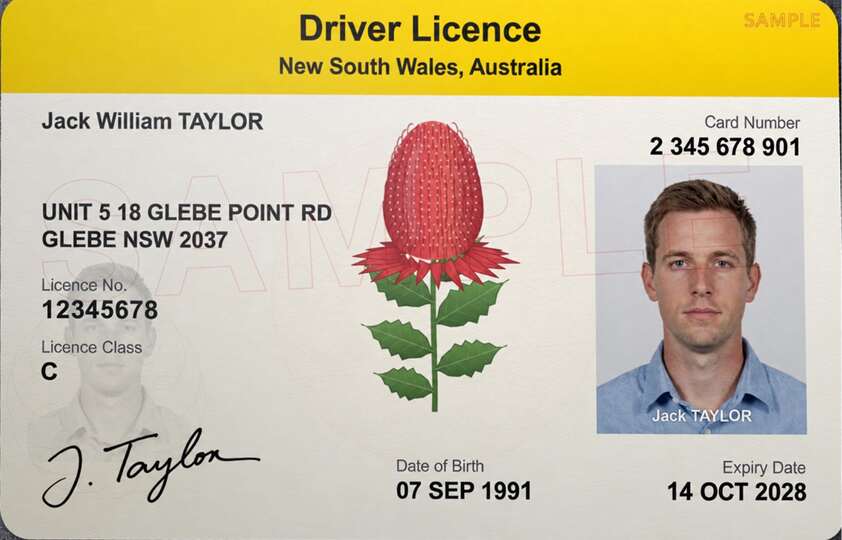
To watermark a PDF here, open it on this page, type who the copy is for and why (up to 60 characters), and download it: the tool adds today's date and repeats the text across the first ten PDF pages, and the file never leaves your device. In Queensland, a property manager may keep a copy of your licence or passport only with your consent; you can show the original instead. Use an edited copy only when the recipient accepts it; keep official signed originals separately.

How to add a watermark to a PDF or ID copy
- Open the PDF, or a photo or scan of your licence or passport. A photo taken on a table is cropped to the document’s edges and straightened for you; use Rotate if it is sideways.
- The Watermark field starts with "Exclusive use of …". Complete it with the recipient and purpose, for example "Exclusive use of Banksia Rentals, rental application" (a fictional agency), within 60 characters. The tool adds today’s date automatically.
- Pick a style and move Intensity between Subtle and Intense (Balanced is the default) until the mark is plain to see and the name, photo and numbers still read.
- Download a JPG or PDF and open it before you send it. Your original is not changed.
In the default Text mesh style, the tool repeats your words in rows across the whole document, each with the date in fine print beneath it, so the mark cannot be cropped off a corner.
Does the agent need a copy at all?
Rental rules differ by state. Before you send a watermarked copy, check what yours says:
| State | What the official guidance says |
|---|---|
| Queensland | You can give a copy or let the property manager see the original. Keeping a copy needs your consent; keeping one without it is an offence (up to 20 penalty units). |
| New South Wales | Fair Trading calls it best practice for an agent to sight your ID and note what it needs, without storing the documents. |
| Victoria | An agent can request no more than two identity documents from a set list. |
The Australian Passport Office adds that once you share identity information, you lose control of where it is stored, how it is managed and how long it is kept. A watermark does not replace consent or the identity check; it makes the intended use of the copy visible.
Intensity and the small print
Before you download, zoom in on a passport’s two machine-readable lines and a licence’s number: if the recipient needs them, they must stay legible at the intensity you chose. If a number is not needed at all, hide it instead. For a smaller file, run the marked copy through Compress; to put both sides of a licence on one page, prepare the PDF.
What goes in and what comes out
- In: JPG, PNG, HEIC where your browser opens it, or PDF, up to 25 MB. A password-protected PDF does not open, and only the first ten pages of a PDF are processed.
- Out: JPG, or a PDF with one image per page, so its text is no longer selectable and digital signatures and form fields are not kept.
- Privacy: the file is read and marked on your device, without an upload, and camera data such as location is removed. Once the page has loaded, document processing works offline.
If you share copies often, the Dokus app keeps the original encrypted and marks each copy with the recipient and the date as you send it.
Common questions
How do I watermark a PDF?
Open the PDF on this page, type the recipient and purpose, set the intensity and download. It needs no account, and the PDF is processed in your browser without an upload.
Will an agent accept a watermarked licence?
Ask before you send. The agent decides what it accepts, and a check that compares your details with the issuer’s record still needs the name and numbers legible under the mark.
Does the tool add today’s date?
Yes. Today’s date is added to the watermark automatically, so type only the recipient and purpose.
Does the watermark cover the passport’s machine-readable lines?
It crosses the whole page, those lines included, at the intensity you choose. Check that they stay readable if the recipient needs them, or hide the passport number with the redaction tool if it does not.
Does watermarking password-protect the rental PDF?
No. It labels the recipient and rental purpose visibly on the agreed copy. It does not encrypt the PDF or replace consent to keep the ID.