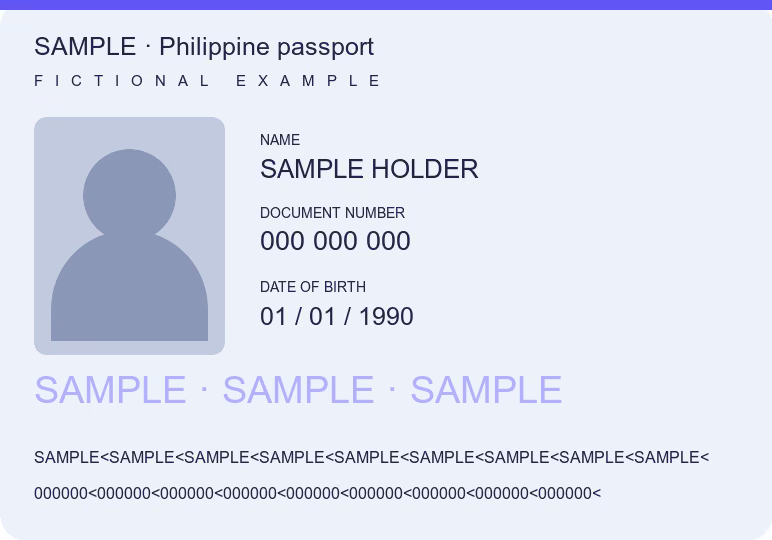
To redact a PDF, open it here, draw a box over each detail the recipient does not need, such as an ID number, address or birth date on a national ID or passport copy, and download. The covered area is replaced in the saved pixels, so nothing remains underneath. The Data Privacy Act asks that collected data be adequate and not excessive, but a required identity check may still need the full details.
You can download one document free every 24 hours across all tools in this browser. New documents after that require paid access.
How to redact a PDF or an ID copy
- Confirm which details the recipient needs and whether it accepts a copy with some of them covered.
- Open the PDF or the photo of your national ID, driver’s license, UMID or passport. With Blur selected, draw a box over each detail to hide.
- Check every page and both sides. The same number can appear twice on a card, in a QR code or in a passport’s machine-readable lines.
- Download and open the saved JPG or PDF to check it. Your original stays unchanged.
When to cover details, and when not to
The Data Privacy Act of 2012, in Section 11, says personal information must be adequate and not excessive in relation to the purposes for which it is collected. A copy you attach to a support ticket, a delivery claim or a document that only needs your name rarely needs your ID number, address or birth date.
| What you are sending | What you might cover |
|---|---|
| A screenshot or PDF for customer support | ID numbers and details unrelated to the case; keep the order or case reference |
| An ID copy where only your name matters | The card number, address and birth date, if the recipient agrees |
| A bank, government or employment requirement | Usually nothing: ask first, since the check may need the full card |
Covering a field does not create a new way of proving who you are. If an office needs to verify your identity, follow its process with the complete document.
What the exported redaction removes
The control called Blur replaces the selected area with a texture taken from the surrounding paper and burns it into the downloaded pixels. The saved copy has no layer to remove and no original characters under that area. Details outside the box, in a QR code or on another page can still give the same information away.
Choose JPG, PNG, HEIC or PDF up to 25 MB. HEIC depends on browser support; choosing a photo from the iPhone library can provide JPG. Only the first ten pages of an input PDF are used. The output is JPG or an image-based PDF: selectable text, form fields and digital signatures are not kept. Keep the original when those features matter.
Processing stays in your browser, with no document upload or account. The downloaded copy removes camera metadata and leaves your chosen source unchanged.
To leave every detail readable but name the recipient on the copy, use Watermark on photo. For an upload limit, use Reduce PDF size; to put both sides of an ID on one page, use ID photocopy for signing.
Common questions
How do I redact a PDF for free?
Open the PDF on this page, draw a box over each detail to hide and download. No account is needed and the file stays in your browser.
Can the redaction be undone?
No. The covered area is replaced in the pixels of the saved copy, with nothing underneath. Only the area you selected is covered, so check the rest of the page.
Which details on my national ID should I cover?
Only those the recipient says it does not need. There is no single rule for every case, and an identity check may need the whole card.
Will a redacted ID be accepted?
Only if the recipient accepts it. Government offices, banks and employers often need the complete ID or the original.
Does the PDF keep its text?
No. Pages are saved as images, so text cannot be selected and digital signatures are not kept.
How many documents can I download for free?
One document is free every 24 hours across all tools in this browser. New documents after that require paid access. Examples do not count, and downloading a previously counted document again is free. Documents are processed locally; an internet connection is needed to activate or verify paid access.