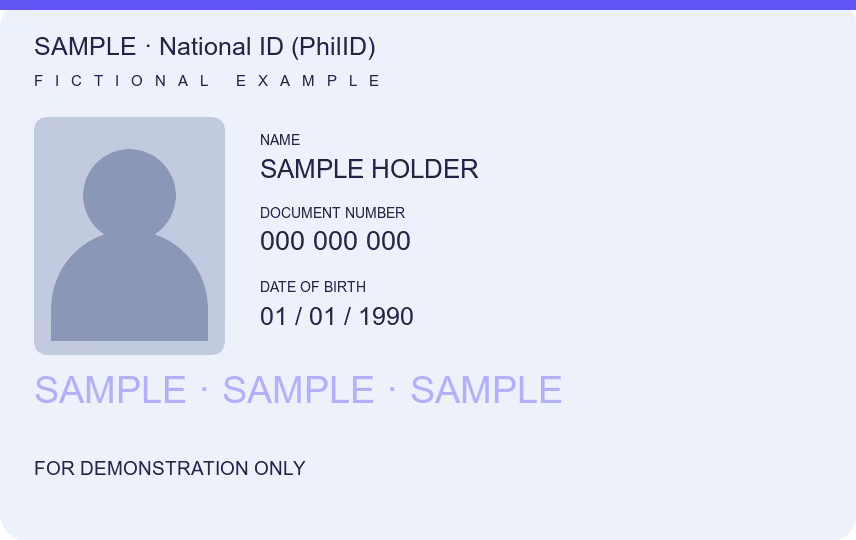
When a form or an employer in the Philippines asks for a photocopy of a valid ID with 3 specimen signatures, put the front and back of your national ID, driver’s license or UMID on one A4 page at real size, print it and sign three times by hand in the space under the card. The tool makes the photocopy; the signatures are yours, in ink. A certified true copy is a different document, issued by the agency or a notary.
You can download one document free every 24 hours across all tools in this browser. New documents after that require paid access.
What “photocopy of valid ID with 3 specimen signatures” asks for
Employers, banks, schools and offices in the Philippines often list this among the requirements for a form, an authorization or a new account. It means one sheet with a copy of a valid ID, usually front and back, signed three times by its owner in ink. Whoever receives it compares the three signatures with the one printed on the ID and with the signature on the form.
The requirement comes from the recipient, not from one national rule, so the details vary: which ID counts as valid, whether both sides are needed and where the signatures go. When the checklist says, follow it.
Make the ID photocopy and sign it
- Choose the photos of the front and back of your ID together, or one after the other. Select Both and use Swap front and back if the order is wrong.
- Select Front or Back to check each side. The tool crops away the table and straightens the card; choose Adjust if a corner needs fixing.
- Keep National ID (PhilID), or pick Driver’s license, UMID or Philippine passport. Print size starts at 100%, the real size of the card, and Front and back on one sheet keeps both sides on a single A4 page.
- Choose PDF and download. Print it at Actual Size, not Fit to page, so the copy keeps the card’s size.
- Sign three times by hand in the free space under the card, with the same signature you use on the ID and on the form. Use a dark pen, keep the signatures from crossing the ID, and do not sign on the copy before you know where the recipient wants them.
The tool does not add the signatures. A specimen signature is a sample of your handwriting, so it belongs on paper, in ink. Do not paste a signature image unless the recipient says it accepts one.
For a passport, use the identity page and choose Automatic in Print size. Use Document for a full-page record.
Specimen signature cards are different forms
Some agencies have their own specimen signature forms, signed in front of witnesses. The SSS Specimen Signature form has lines for eight present and eight previous signatures and two witnesses, one of them SSS personnel. A company representative who files for a member uses a separate Specimen Signature Card (SS Form L-501), listed in the SSS Member Data Change Request. This page does not make those forms: get them from the agency that asks for them.
A photocopy is not a certified true copy
The signed sheet is your own photocopy. A certified true copy is certified by the office that issued the record or by a notary; the SSS Member Data Change Request, for example, asks for birth and marriage certificates as the original or a certified true copy issued by the civil registrar or the PSA, and to present the original or certified true copy of an ID when submitting its photocopy. Bring the original ID when the office asks to see it.
A recipient may also check a National ID without paper: banks, employers and agencies can register as relying parties of National ID eVerify, which verifies the identity online. A photocopy cannot be checked that way.
Before sending a copy of your ID, ask what it is for. To label it for that recipient, use Watermark on photo; to cover details the recipient does not need, use Redact PDF; if an upload field has a size limit, use Reduce PDF size.
File handling
This tool accepts images only: JPG, PNG, WebP, GIF, BMP, AVIF and browser-supported HEIC/HEIF, up to 25 MB per file. Add the front and an optional back, at most two images. PDF files cannot be opened here.
Download JPG or an image-based PDF. The PDF has no selectable text, fillable fields or digital signatures. A4 is the default; choose Letter under Paper if the recipient asks for short bond paper.
Processing stays in your browser, with no document upload or account. The downloaded copy removes camera metadata and leaves your chosen source unchanged.
Common questions
How do I make a photocopy of a valid ID with 3 specimen signatures?
Put the front and back of the ID on one A4 page at 100%, download the PDF, print it at Actual Size and sign three times by hand under the card. Check the recipient’s checklist for which ID and how many sides it wants.
Where do I put the three signatures?
Usually in the white space under or beside the ID, without covering it. If the recipient marks a place or wants the signatures on a separate sheet, follow that instead.
Can I sign the photocopy digitally?
A specimen signature is a handwritten sample, so most recipients expect ink on the printed copy. Use a signature image only when the recipient says it accepts one.
Is this the SSS specimen signature card?
No. SSS has its own specimen signature forms, signed in front of witnesses. This page makes the photocopy of your ID that you sign yourself.
Does this make a certified true copy?
No. A certified true copy is certified by the issuing office or a notary. This is a personal photocopy for the recipient who asked for it.
How many documents can I download for free?
One document is free every 24 hours across all tools in this browser. New documents after that require paid access. Examples do not count, and downloading a previously counted document again is free. Documents are processed locally; an internet connection is needed to activate or verify paid access.