Choose a photo or scan of your passport’s photo page and download it as an A4 PDF at real size, ready to print. The tool makes the copy, not the certification: take the printout and your original passport to a solicitor or another professional person who agrees to certify it. They write that it is a true copy of the original, then sign and date it.
You can download one document free every 24 hours across all tools in this browser. After that, new documents require paid access.
Make a free passport copy to get certified
- Open the photo or scan of your passport’s photo page. UK passport is selected and Print size starts at 100%, so the page prints at its real size on A4.
- Check the automatic crop and rotate the image upright. Add a second page only if the recipient asks for it.
- Download the PDF, reopen it to check every detail is readable, then print it at 100% with fit-to-page scaling switched off.
GOV.UK explains that a professional person or someone of good standing in your community certifies the copy: for example a solicitor, a bank official, a teacher or a chartered accountant, if they offer the service. They should not be related to you, live at your address or be in a relationship with you. You take the printout and the original; they write that it is a true copy of the original seen by them, sign and date it, and add their name, occupation, address and phone number. They may charge a fee.
Check with the organisation that asked for the certified copy, which may set its own rules on who can certify. Passport applications and passport photos have their own countersigning rules, so this copy does not replace them.
Put your ID card front and back on one PDF page
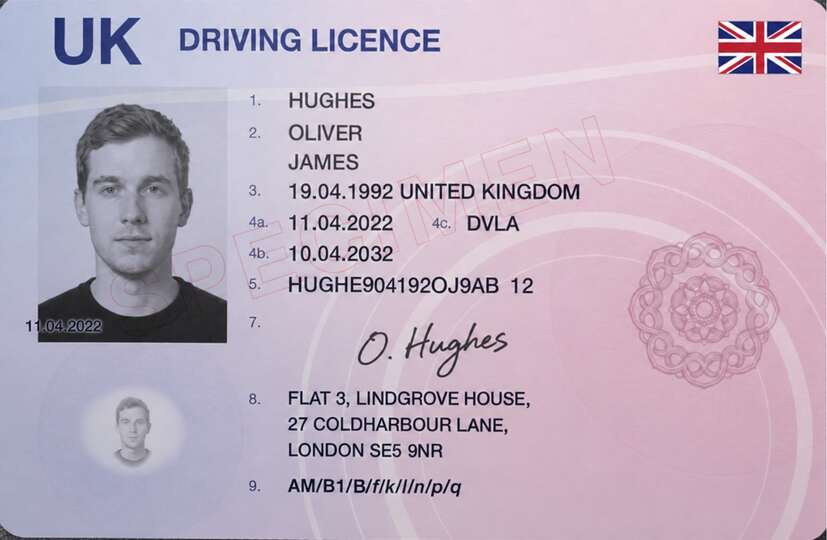
- Open the photos of the front and back of your ID card or driving licence, and choose Driving licence for any card the size of a bank card. Select Front or Back to edit a side and Both to check the sheet or use Swap front and back.
- Add the back only if requested. Check the automatic crop, rotate each side upright and swap the sides if they are reversed.
- Keep A4 and Print size at 100%, with both sides on one sheet when appropriate. Download the PDF and reopen it to check the requested details.
Choose Automatic in Print size for a full-page scan. You can turn off both sides on one sheet or choose a different paper size if the recipient asks for another layout.
A personal copy and an official check are different
The ICO's subject-access helper lists passport or driving licence copies for identity and a separate address document. This is one use for a requested sharing PDF; check the organisation's actual evidence and file requirements. Its guidance is under review.
Right to rent checks apply in England. Follow the relevant GOV.UK document or online-service route; an edited PDF emailed separately cannot perform the prescribed check or replace an original where required. A personal PDF is not an official digital identity, a certified copy or a replacement for a lost licence.
File limits and readable details
This tool accepts images only: JPG, PNG, WebP, GIF, BMP, AVIF and browser-supported HEIC/HEIF, up to 25 MB per file. Add the front and an optional back, at most two images. PDF files cannot be opened here.
Download JPG or an image-based PDF. The PDF has no selectable text, fillable fields or digital signatures; keep issued or signed originals when those properties matter.
The converter arranges the selected images on the output pages. Keep issued PDFs unchanged when their text, signatures or form fields are needed. Processing stays in your browser, without a document upload or account. The source stays unchanged and the download excludes camera metadata.
For an attachment ceiling, compress the saved scan. You can also label an accepted copy or hide agreed unnecessary details. The UK ID-sharing guide explains how to assess a separate copy request.
Common questions
How do I get a certified copy of my passport?
Make a copy of the photo page here and print it at real size. Take the printout and your original passport to a professional person who offers the service, such as a solicitor, and who is not related to you or living with you. They write that it is a true copy, then sign and date it.
Does this tool certify my passport copy?
No. The tool only makes the copy. A person certifies it by seeing your original and signing the printout. Check whether the organisation has its own rules on who may certify.
How do I make a copy of my driving licence as a PDF?
Choose Driving licence, add the requested front and back photos and check the crop on each side. Keep both sides on one A4 sheet at real size, or use the recipient's requested layout, then download the PDF.
Can I put the front and back of my ID card on one A4 sheet?
Yes. Add both sides and leave Front and back on one sheet selected. Turn it off if the recipient requires separate pages, and do not send the reverse when only the front is requested.
Does making a PDF perform a right to rent check?
No. Follow the prescribed route that applies to your nationality and status in England. A personal PDF does not replace the required document or online verification process.
Can I open an existing PDF?
No. This tool accepts images only, with a front and an optional back. The PDF it creates contains images without selectable text, interactive fields or digital signatures. Keep issued originals when those properties matter.
Is my document uploaded to make the PDF?
No. The copy is made in your browser on your device, without an account or document upload.
How does free access work?
One document is free every 24 hours across all tools in this browser. Examples and downloads of documents already counted do not use another free document. New documents then require paid access. Document processing stays local; activating or verifying paid access needs an internet connection.