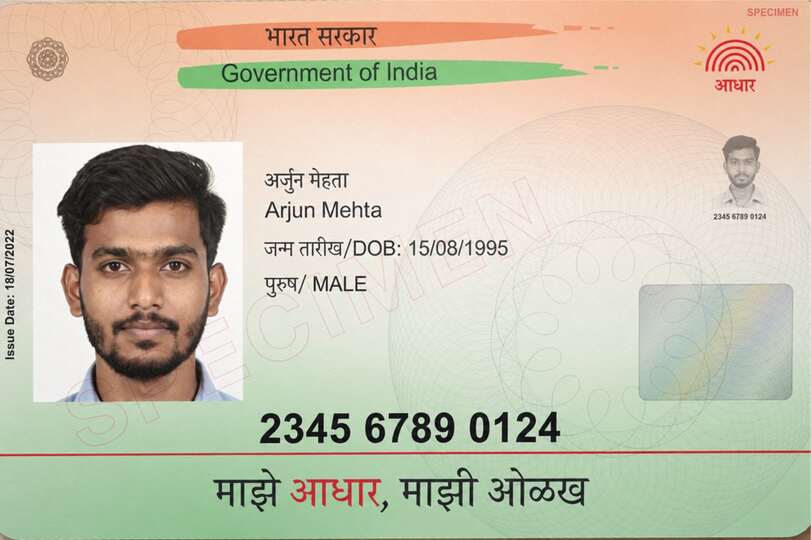
Choose photos of your Aadhar card's front and back and download a photocopy with both sides on one A4 page, ready to print or send as PDF. A PAN card copy usually needs one side; use Automatic in Print size for an Aadhaar letter, and keep UIDAI's original electronic document whenever official verification requires it.
You can download one document free every 24 hours across all tools in this browser. New documents after that require paid access.
Make an Aadhaar card photocopy in PDF
- Choose the front photo. Add the back when the recipient needs both sides, or select two images together in front/back order.
- Review the automatic crop and use Rotate or adjust the corners when needed.
- In Print size, use 100% for the card reference, 150% or 200% to enlarge it, or Automatic for an Aadhaar letter. Keep both card sides together on A4 if that is the requested layout.
- Select PDF, check the preview and download the copy.
At 100%, the percentage reference is a standard card. An Aadhaar letter is a full page, so choose Automatic in Print size rather than shrinking the entire letter into a card slot. Confirm the recipient’s actual paper and scale requirements before sending.
Print an Aadhar card front and back on one A4 sheet
Most offices ask for both sides of the card on a single page. Add the front and the back, keep Print size at 100% so each side prints at real card size, and download the PDF. Print it at 100% (actual size) in your printer settings, not "fit to page", or the card comes out enlarged.
If you downloaded e-Aadhaar from UIDAI, that file is a password-protected PDF, and this tool accepts images only. Print UIDAI's PDF directly, or take a photo or screenshot of the card section and use it here.
A photo PDF and an issuer download are different
UIDAI provides Aadhaar downloads and a separate PVC card service. Combining card photographs here does not issue Aadhaar, perform authentication or turn the result into UIDAI's electronic original. The same distinction applies when a PAN photograph is converted to PDF.
This tool accepts images only: JPG, PNG, WebP, GIF, BMP, AVIF and browser-supported HEIC/HEIF, up to 25 MB per file. Add the front and an optional back, at most two images. PDF files cannot be opened here.
Download JPG or an image-based PDF. The PDF has no selectable text, fillable fields or digital signatures; keep issued or signed originals when those properties matter.
Choose another operation
Use compression when an actual form sets a file-size ceiling. Use redaction for unnecessary details only when an edited reference copy is accepted, or watermarking for optional recipient text under the same boundary. None of these operations changes an official record.
For official originals, read Masked Aadhaar, DigiLocker issued documents or Instant e-PAN download.
Aadhaar photocopy questions
Does this create an official e-Aadhaar?
No. It makes an image-based reference PDF from the files you select. Obtain the official electronic document through UIDAI.
How do I print the Aadhar card at the right size?
Keep Print size at 100% here and print the PDF at actual size (100%), not fit to page. Both sides then come out at standard card size on one A4 sheet.
Can I put the Aadhaar card front and back on one page?
Yes. Add the front and back, keep Print size at 100% and the option that places both sides together on a sheet.
Is conversion free and private?
One document is free every 24 hours across all tools in this browser. New documents after that require paid access. Examples do not count, and downloading a previously counted document again is free. Documents are processed locally; an internet connection is needed to activate or verify paid access.