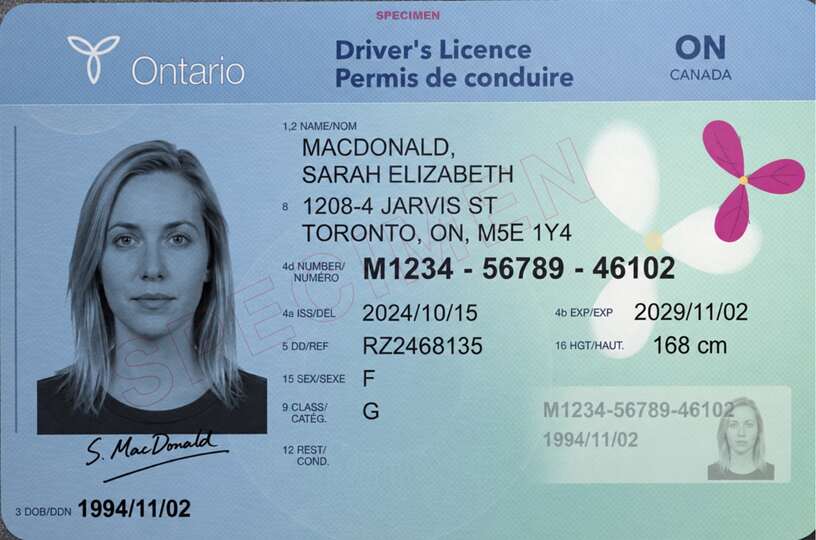
To reduce PDF file size for free, open the PDF, scan or photo of your passport, driver’s licence or PR card and set Maximum size at or under the form’s limit, such as 2 MB for a 4 MB field. Check the saved copy before uploading, and keep interactive or digitally signed forms as they are.
You can download one document free every 24 hours across all tools in this browser. New documents after that require paid access.
Reduce PDF file size below the form’s limit
Almost every form that asks for a passport, licence or PR card caps the file size, often at 1 MB, 2 MB or 4 MB, and many only say so when the upload fails. Open the file, choose a step at or under that limit and the tool finds the highest quality that fits. The limit covers the whole file, both sides included when they travel together. This tool combines one card and its reverse, not several independent application documents.
Pick the step under the limit
Read the number on the upload screen or in the error message, then pick the Maximum size step at or under it. The slider steps through 100, 150, 200, 300 and 500 KB, then 1, 2 and 5 MB, or no limit; for a 4 MB field, that is 2 MB. Here 1 MB means 1,000,000 bytes.
IRCC is a common example. Its help centre sets a per-file limit for each online account:
| IRCC account | Limit per file |
|---|---|
| IRCC secure account | 4 MB |
| IRCC Portal and its new version | 5 MB |
| Permanent Residence Portal | 4 MB |
| Online citizenship application | 4 MB |
| Asylum portal | 4 MB |
IRCC also warns that some applications allow as little as 2 MB, and that its fields take one file each: uploading the back after the front keeps only the last file, so combine required card sides before submitting. Other recipients set their own limits.
How to make a PDF smaller for free
- Choose the photo, scan or PDF: JPG, PNG, HEIC or PDF, up to 25 MB. A PDF contributes its first ten pages.
- Add the back of a licence, PR card or health card if the form wants both sides.
- The tool crops away the background and straightens the card; IRCC also suggests cropping empty space. If it missed, choose Adjust under the preview and drag the corners onto the card. Rotate a sideways card upright.
- Set Maximum size and Format. PDF keeps both sides in one file, as a field that takes a single file needs; JPG saves one image per side.
- Watch the copy size update, download, and zoom in on the fine print.
How the size comes down
The compressor lowers JPEG quality first and reduces resolution only when quality alone cannot reach the target. If even the smallest version is too big, it says so and shows the size it reached. Location and camera data are removed, and the file you picked stays as it was.
Its PDF holds a picture of each page, so selectable text, form fields and digital signatures do not survive. Upload a filled-in IRCC form as it is, and compress only the scans that support it.
Is it still readable?
A file that fits but cannot be read gets your application nowhere. On a passport, the number and both machine-readable lines must be legible; on a licence, the number, the expiry date and the back. If anything blurs, try the next step up, crop tighter or rescan.
For both sides on one Letter page, start with Photo to PDF and bring the result back here. Watermark names a recipient, and Hide details covers a number.
Your file never leaves the browser
The page reads the file, encodes the copy and hands it to your downloads (Files, then Downloads, on an iPhone). Your document is not sent to a server. Once the page and its processing resources have loaded, document processing can continue offline; an internet connection is needed to activate or verify paid access.
For private sharing, ask whether the organisation needs a retained copy at all. The federal Privacy Commissioner says a landlord checking your identity or income with a licence or pay stubs likely does not need to keep a copy. Provincial rules can be stricter; do not treat an optional sharing copy as a requirement.
Compression questions
How do I compress a PDF to under 4 MB?
Choose 2 MB, the largest step under 4 MB, as for an IRCC secure account. For a 1 MB or 2 MB form, pick that step instead. If the passport page still looks sharp at 1 MB, the smaller file uploads faster, but readability matters more than size.
How do I make a PDF smaller without losing the details?
Crop away the background, then choose the largest step the form accepts rather than a smaller one. The tool lowers quality before resolution and stops as soon as the file fits. Zoom in on the copy before uploading it.
Can both sides of my licence go into one compressed file?
Yes. Add the back and choose PDF, and both sides go into a single file. A JPG export saves one image per side instead.
Does the compressor upload my passport?
No. The file is processed in your browser on your own device and is not sent anywhere.
Why can’t I select the text in the compressed PDF?
The compressor saves each page as an image to reach the size you chose, so text that was selectable becomes part of the picture. Keep the original when you need its text, form fields or signature.
How many documents are free?
One document is free every 24 hours across all tools in this browser. New documents after that require paid access. Examples do not count, and downloading a previously counted document again is free. Documents are processed locally; an internet connection is needed to activate or verify paid access.